Inkline Studio
Inkline Studio is a free, open source desktop app for creative writers, built with Jace Mu and shipped as an alpha on Windows, macOS, and Linux. I led the design and frontend: the brand, the design system, the workspace layout and the worldbuilding editors.
Problem
Writers who build worlds end up juggling a manuscript in one app and their characters, locations, and timelines in another. The tools that do both are paid, and the AI features showing up in all of them are the thing writers trust least. How do you build one app that handles both, and includes AI without losing the people you built it for?
Roles/responsibilities
- Brand identity and design system, built from scratch
- UX/UI design and prototyping for the full app
- Frontend development (React, TypeScript, Electron)
- Workspace layout, worldbuilding editors, and onboarding
- Cross-platform UI for Windows, macOS, and Linux
- Motion graphics, video editing, and launch assets
Info
When: 2025–2026
Team size: 2
Timeline: November 2025 – May 2026 (6 months)
Tools used: Electron, React, TypeScript, Tiptap, Zustand, Supabase, Dexie, MUI, Figma
Framing the problem
Writers working on anything with a world behind it run two tools at once. General purpose editors handle the manuscript but have no concept of the characters and locations inside it. The applications built for worldbuilding do, but they sit behind a subscription most writers starting out will not pay for.
Covering both halves for free was a scope problem and a manageable one. The harder question was what to do about AI, because every writing tool was adding it at the same time and the writing community was reacting badly to almost all of it.
How do you put AI in a writing app without losing the writers you built it for?
Challenges
- Writers distrust AI in writing tools: the feature we could build fastest was the one our users were most suspicious of.
- Two applications in one: a manuscript editor and a worldbuilding database have different shapes and had to read as a single product.
- Structure can become homework: a tool built around character sheets can demand so much setup that people abandon it before writing anything.
- Three platforms, one interface: Windows, macOS, and Linux each handle window chrome differently.
- Two people, six months: every design decision had to be something the two of us could build.
Inkline Studio
The manuscript editor and the worldbuilding tools in one workspace.
Design decisions
Five decisions shaped the application. The first was the one we disagreed about internally, and it set the terms for the rest.
1. AI is optional, labelled, and never the default
One option was to keep the AI features understated in our messaging and let users discover them inside the application. AI had become a liability in the writing community, and leading with it would cost us downloads.
I argued for the opposite. Looking at how writers discussed AI tools, the objection was rarely to the functionality itself but to applications that had introduced it quietly and been found out afterwards.
A feature discovered after the fact does not land as a pleasant surprise for someone already suspicious, it confirms they were right not to extend trust. A writer we knew made the same point when we asked him.
A smaller user base that trusts the product is worth more than a larger one that feels misled once.
So the AI is opt-in and clearly labelled, and the application stays completely usable with every AI feature switched off.
What it does is deliberately unglamorous as well, checking spelling, continuity, and plot contradictions, which is editing work rather than writing work.
2. Characters and locations get real editors, not notes
Characters, locations, and organizations each have a dedicated editor with their own properties. Custom metafields mean a fantasy writer tracking bloodlines and a science fiction writer tracking ship registries both get a sheet that fits.
These entities link back into the manuscript directly, so the reference material stays attached to the writing instead of living in a folder nobody opens again.
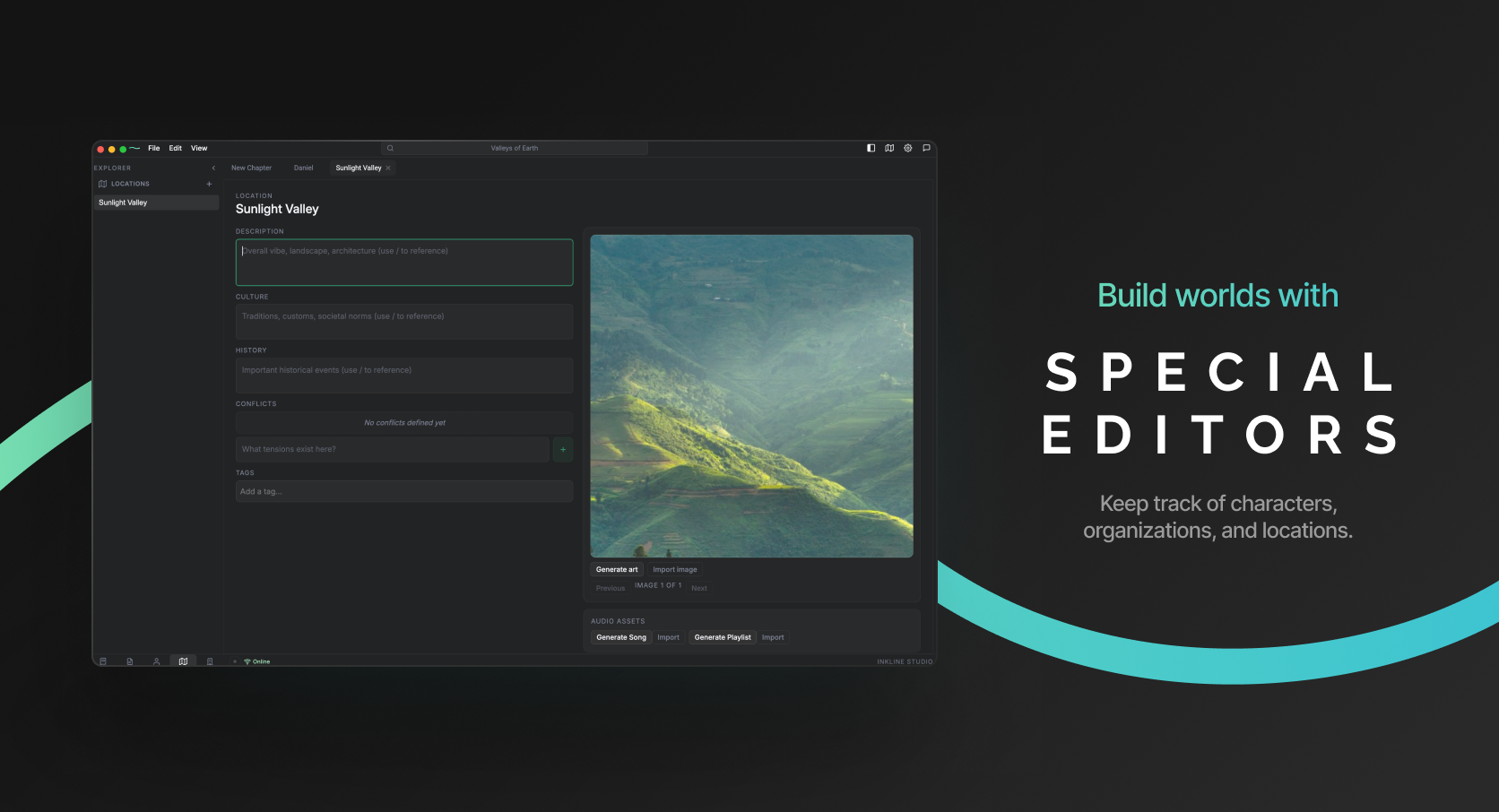
Dedicated editors
Characters, locations, and organizations each have their own properties and custom metafields.
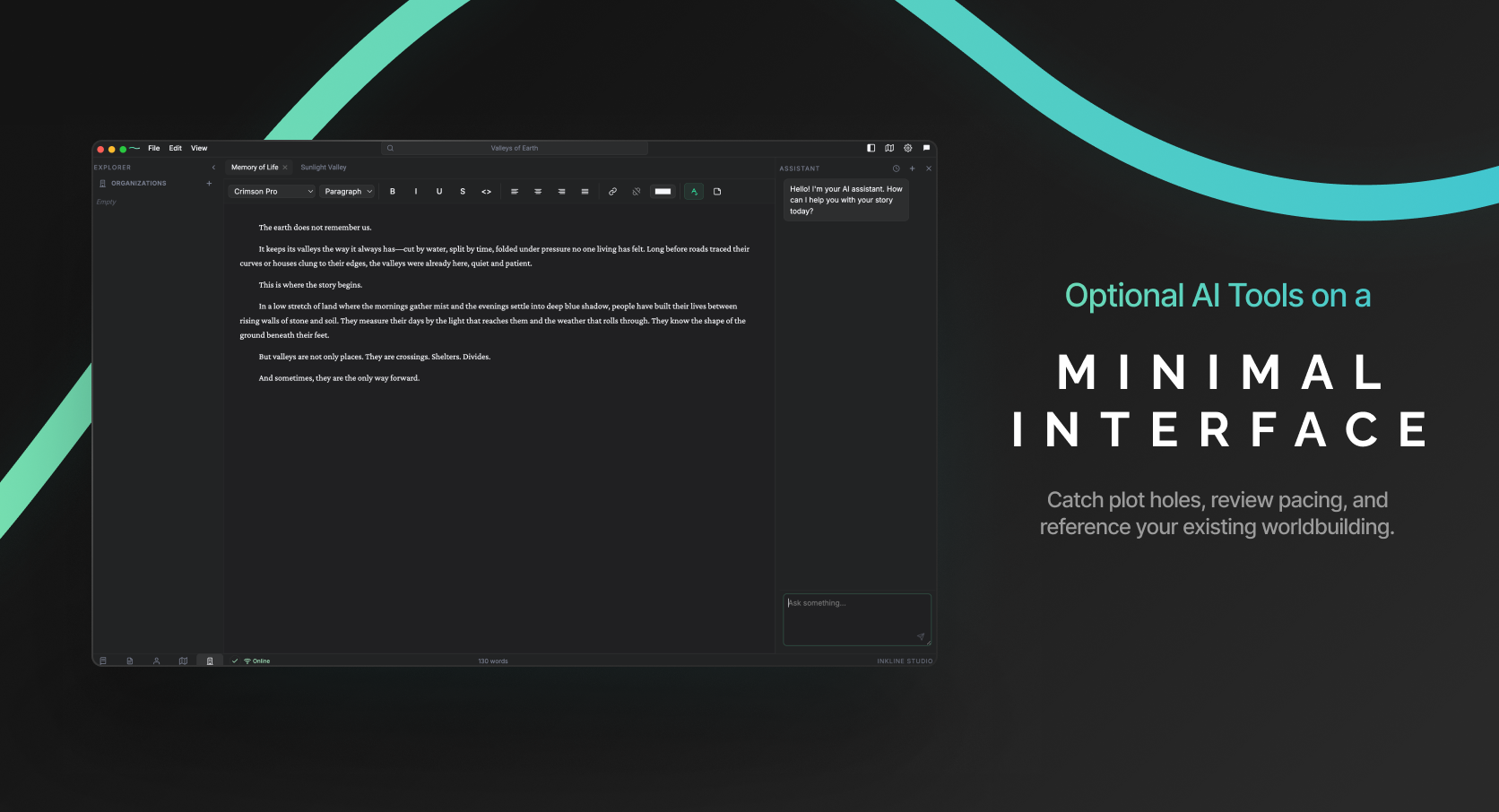
The writing surface
The manuscript editor on its own, with the worldbuilding panels closed.
3. The workspace is the writer's to arrange
Panels dock, split, and tab wherever the writer wants them. Someone drafting with a character sheet open beside the manuscript and someone who wants nothing but the page are both using the application correctly.
This mattered more than it might appear, because the premise of the application is that it holds more than a blank document, which is also what could make it feel cluttered.
Letting people close what they do not need was how we offered the structure without imposing it.
Building it
Inkline runs on Electron with React and TypeScript, using Tiptap for the editor, Zustand for state, and Supabase behind a local Dexie cache for the offline-first layer. Most of my work sat in the renderer: the workspace layout, the entity editors, the views, and the component library underneath them.
A substantial part went into making one interface look correct on three operating systems, which in practice meant the title bar and window controls, along with a full cleanup of the styles. I also built the brand, the icons, the installer screens, and the launch video.
Outcomes
Impact
- Shipped an alpha for Windows, macOS, and Linux, released publicly under an MIT license
- Writers who tried it said they would use it, and several pointed out that nothing free does what it does
- Tabletop and worldbuilding groups picked it up for campaign material, an audience we had not designed for specifically
Learnings
- Understanding how users feel about a feature is worth more than knowing whether it can be built. The research into how writers talk about AI is what made the argument winnable internally.
- Growth and trust can point in opposite directions. Being upfront about the AI probably cost us downloads, and it remains the decision I would defend hardest.
- Adding structure to a writing tool means adding ways to hide it again, so almost every layout decision came down to what a writer could close.